How to Ask Questions Across Your Documents and Past Conversations
A historical Conversational walkthrough captured on 0.7.13: import demo notes and inspect the evidence. Use the install selector for the current release.
By Neeraj Yadav. MemStrata is built by Neeraj Yadav.
What you will do
This historical walkthrough was captured with Conversational 0.7.13 on Windows. It is not the current release recommendation; use the install selector and current setup guide. The fictional demo file is project-notes.md. Connect the AI you already use. MemStrata does not ship an answering model.
The screenshots below were captured from a running 0.7.13 Assistant at http://127.0.0.1:9001/assistant after memstrata-conversational start.
1. Install and open Setup
Use the install selector for your OS. After the launcher prints, run init if you have not signed in. Then start the product, connect the AI you already use, and open the Assistant.
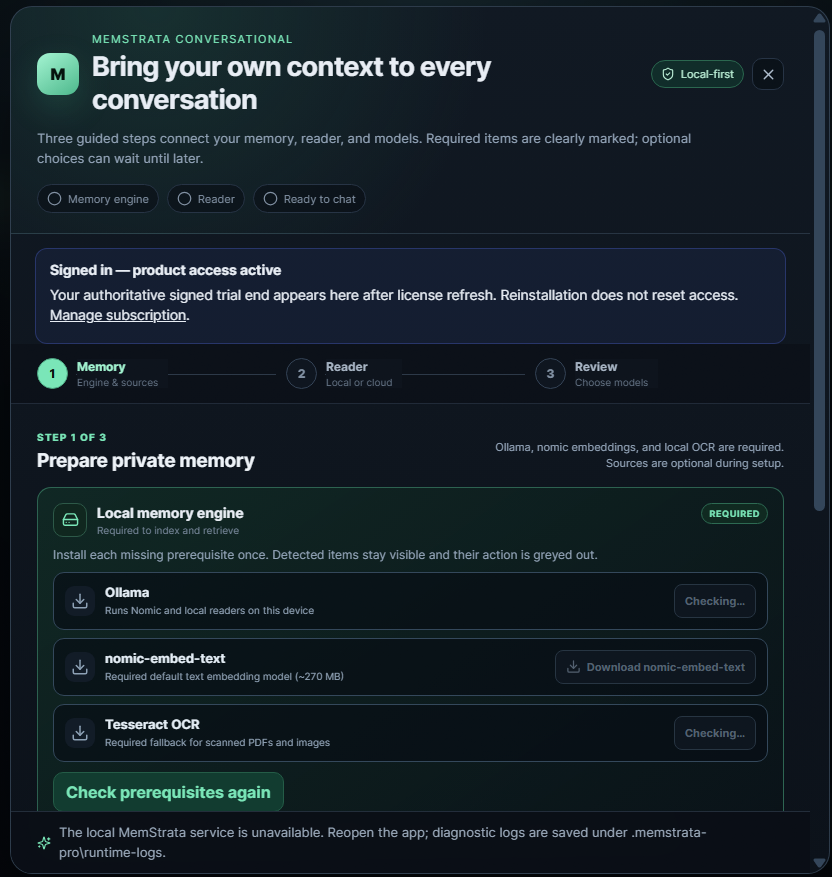
When your source is indexed, you can ask. MemStrata does not include an answering model.
2. Import the demo notes and wait for Ready
Download project-notes.md. It contains two fictional notes: a Tuesday review on 10 March and a Friday correction on 12 March. Add that file as a memory source. Wait until the source shows Ready. Do not ask while it is still indexing.
If indexing fails, retry with this demo file first. Chat exports with an unsupported schema are a different path.
3. Ask, then open Why this answer
Select the demo source. Chat shows Standard 8k (8,192 evidence tokens) and Deep 24k (24,000). Start on Standard.
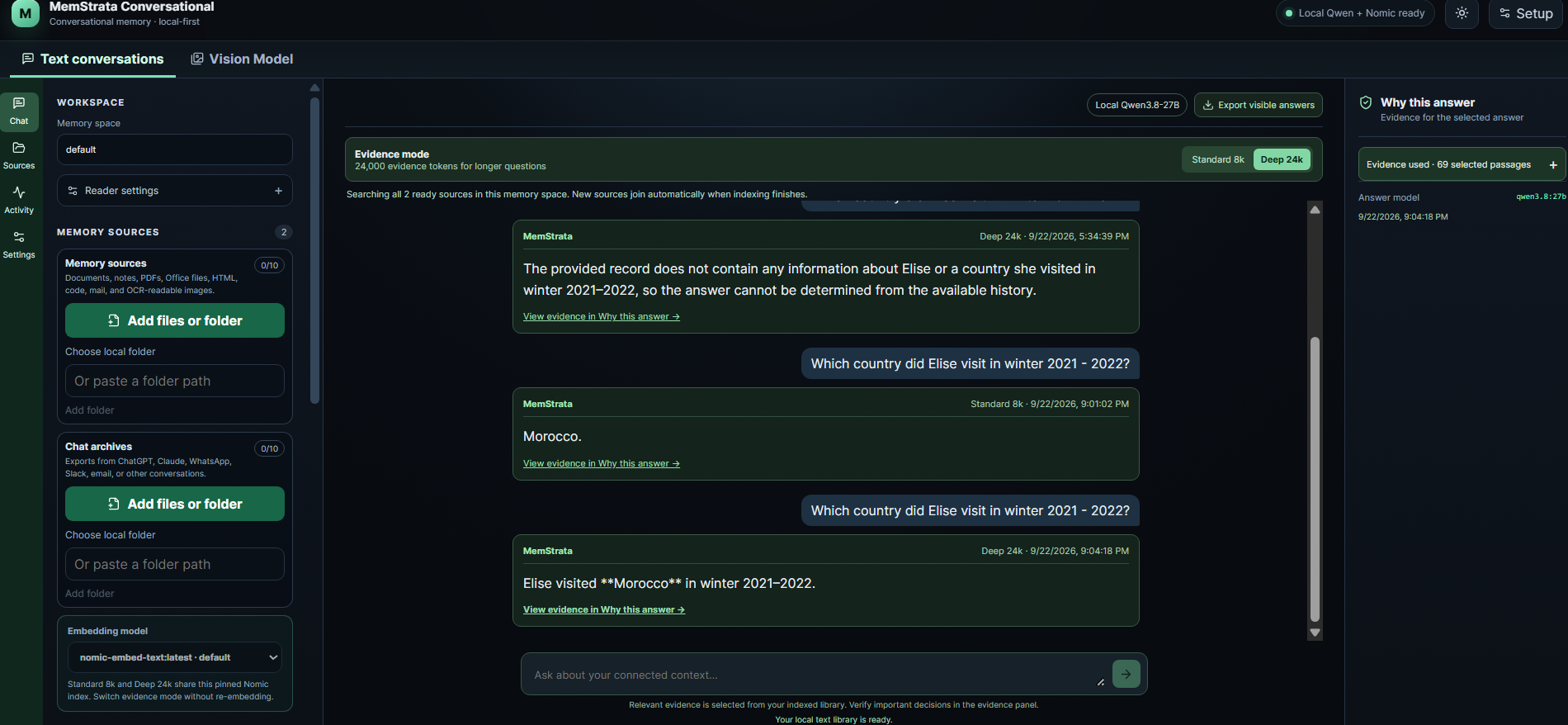
Ask:
When is the project review?
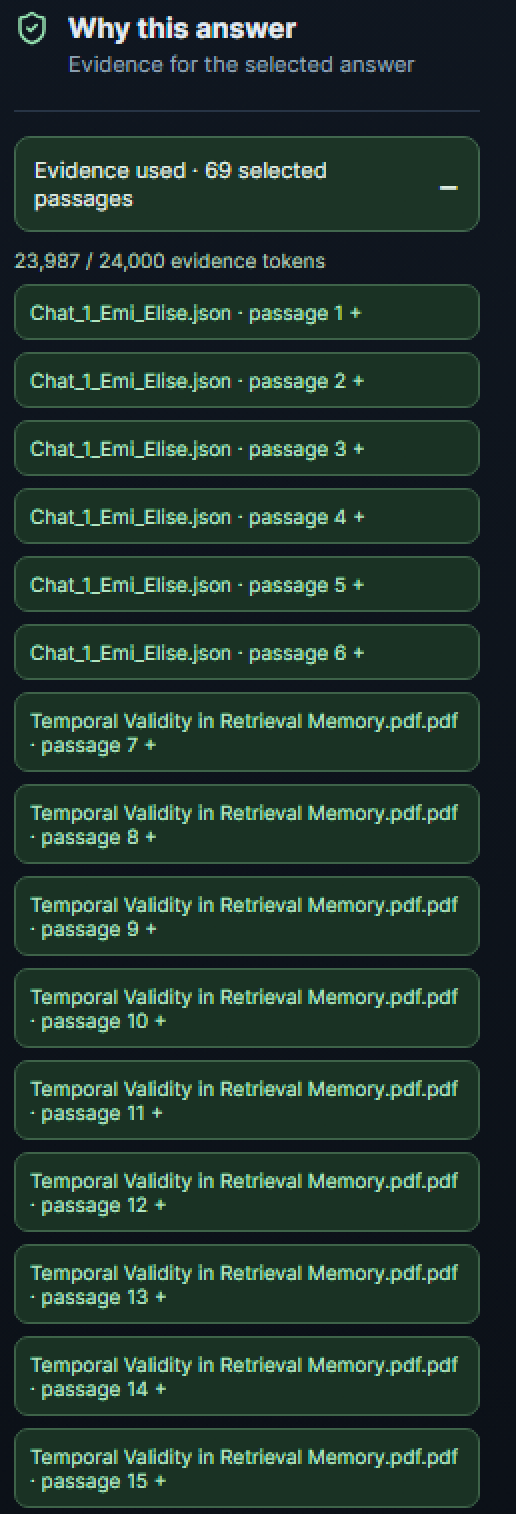
The expected answer names Friday. Open Why this answer and find the 12 March correction as the supporting record. The 10 March Tuesday note remains visible as the earlier record. A cited source makes the answer easier to check. It is not a guarantee that every answer is correct.
Limits of this walkthrough
This is a first useful example, not a measured customer result. Product Standard and Deep are not the R454 7,000-token research budget. Visual retrieval (ColQwen2, ColFlor) is optional and is not the answering model. Next: the Conversational setup guide.
Previous: Measure Selected Coding Context Without Sending the Whole Repository Upstream Next: Why an AI Answer Can Cite a Source and Still Be Wrong